What Booost Business actually is
A desktop application — Windows, macOS, Linux — that you install and run yourself. It is the half of Booost built for people who run LinkedIn and X for a living: agencies running client accounts, sales teams, founders with a team around them. The other half, Booost Personal, is a browser extension for one person and one account.
The distinction that matters is not the size of the customer, it is where the work runs. Booost Business drives LinkedIn from your own computer, in its own browser window, with your session stored on your disk. It is not a cloud service that logs into LinkedIn from a data centre on your behalf — and that difference is the reason the accounts behave the way LinkedIn expects them to.
What you get for that:
- Many accounts from one installation, each a person with its channels — LinkedIn and X — its own limits, warm-up state and safety history.
- One local database. Contacts, conversations, drafts, campaign history and analytics live in a SQLite file on your machine.
- No per-seat billing. Colleagues can use the same installation; the price counts accounts under management (LinkedIn and X), not people.
And X. The same desktop runs an X channel next to the LinkedIn account: you log in inside Booost's browser, and the same workflows publish, reply, quote, repost, like, follow and read followers into Contacts, with a safety engine of X's own. Channels are included in the price of the account; what X does and does not do is on the features page.
The tour
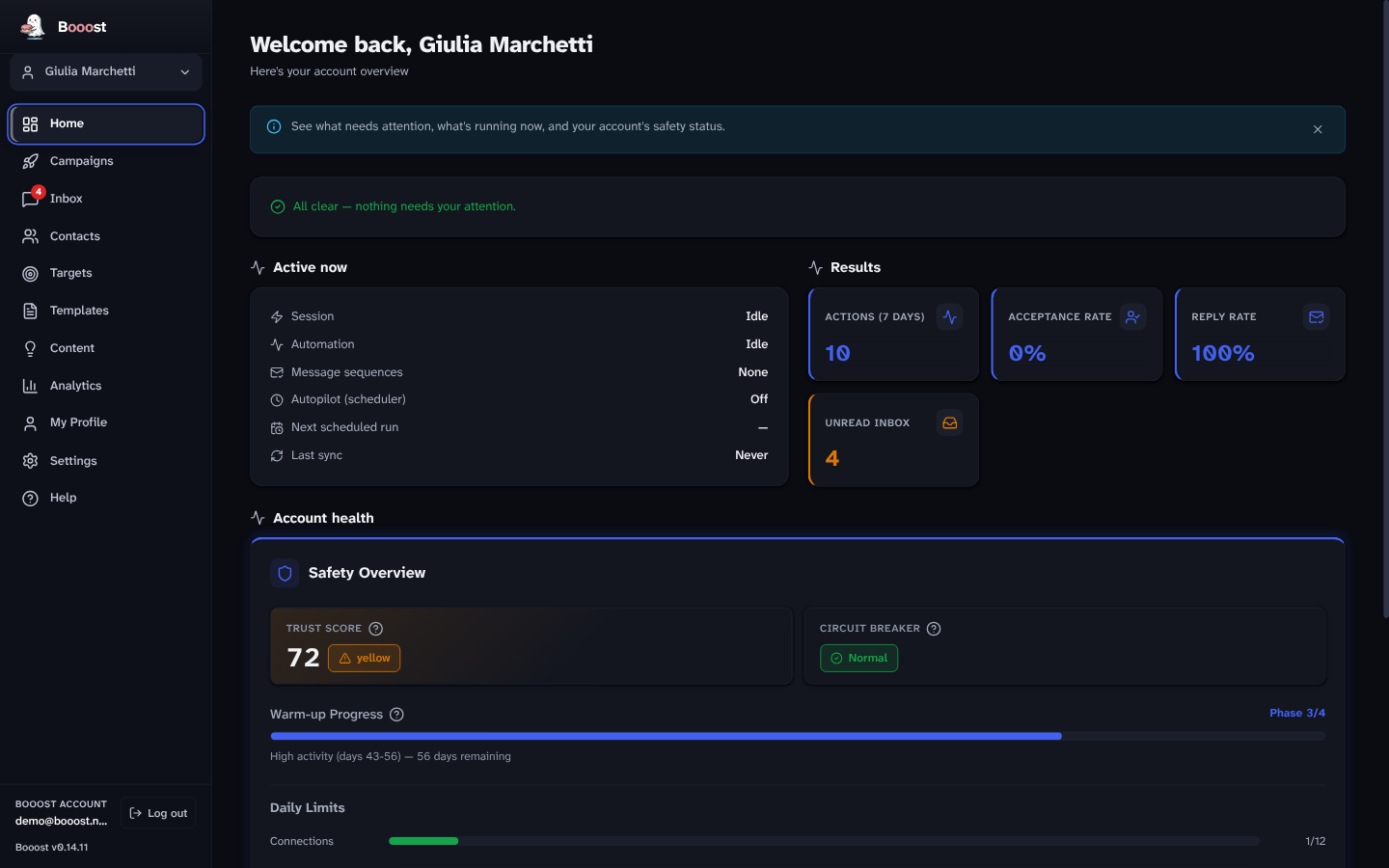
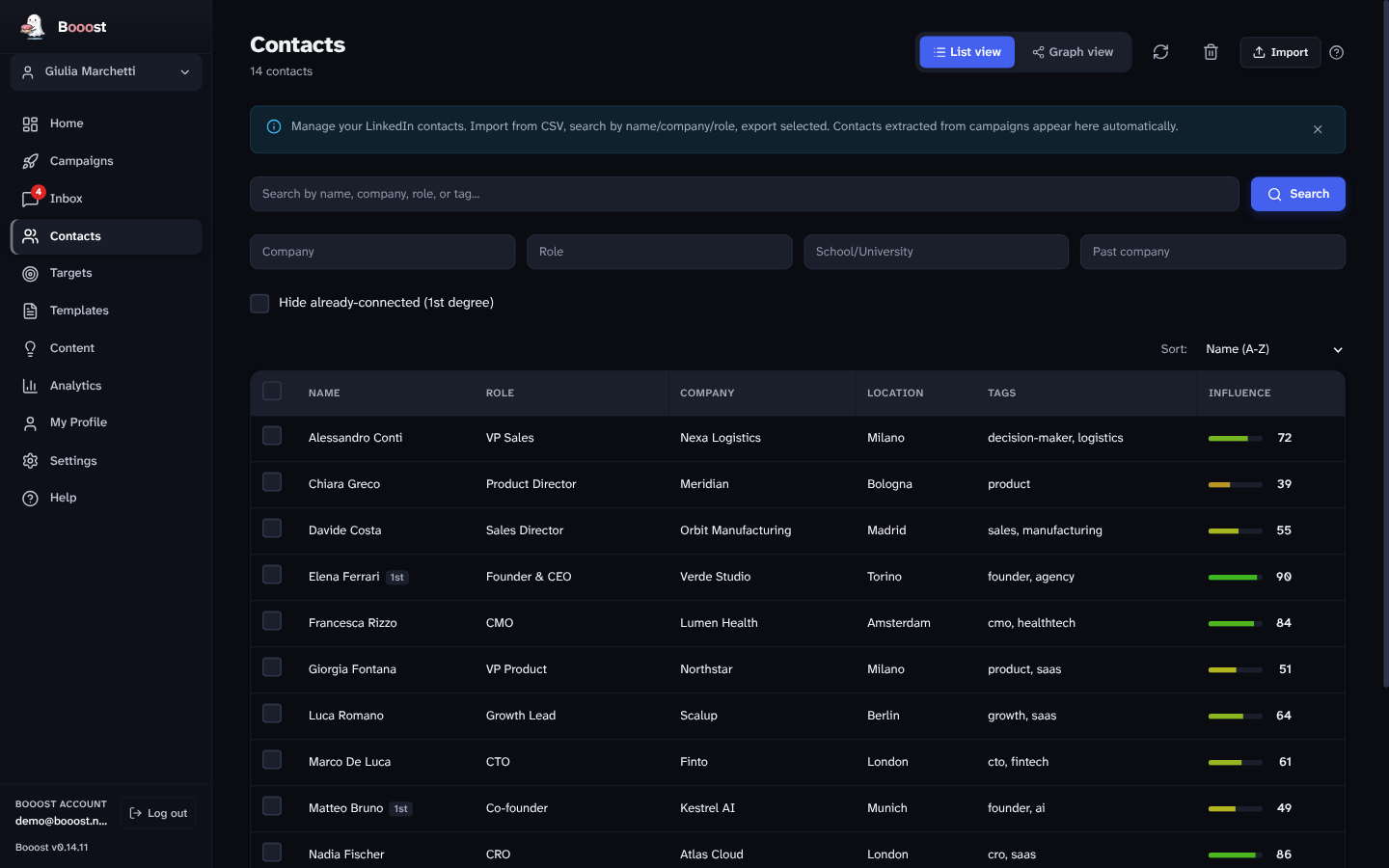
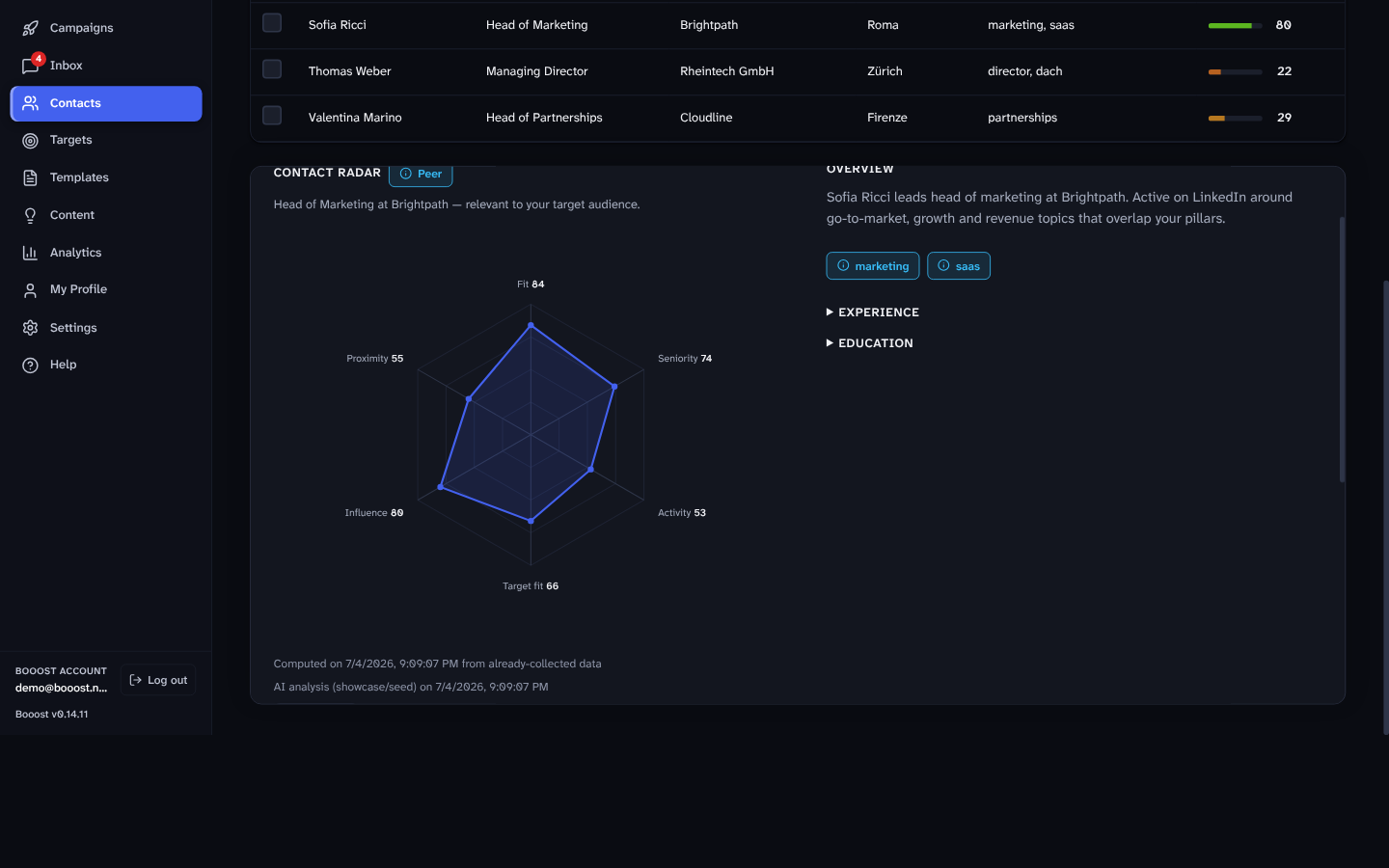
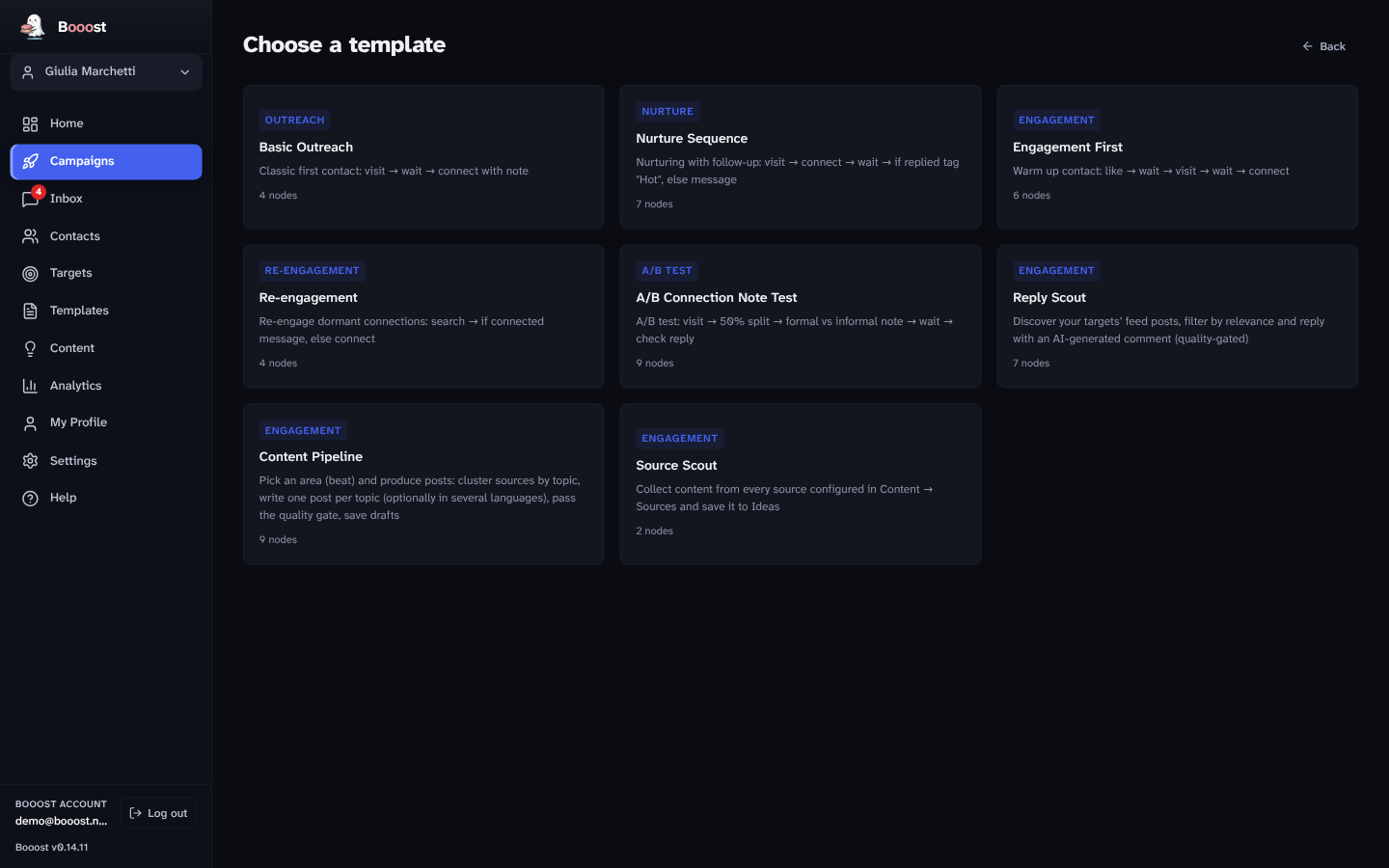
Seven screens, in the order you meet them.
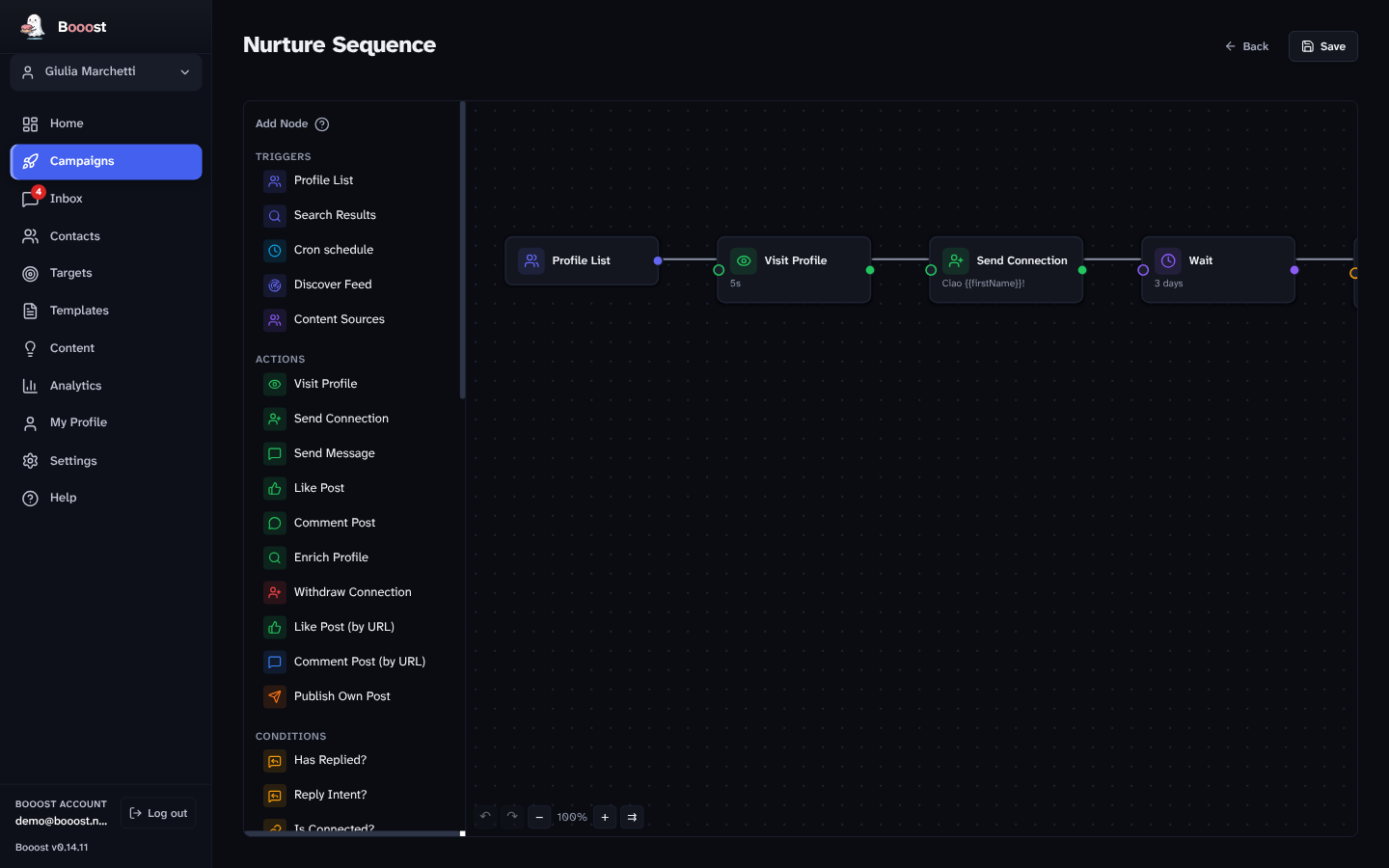
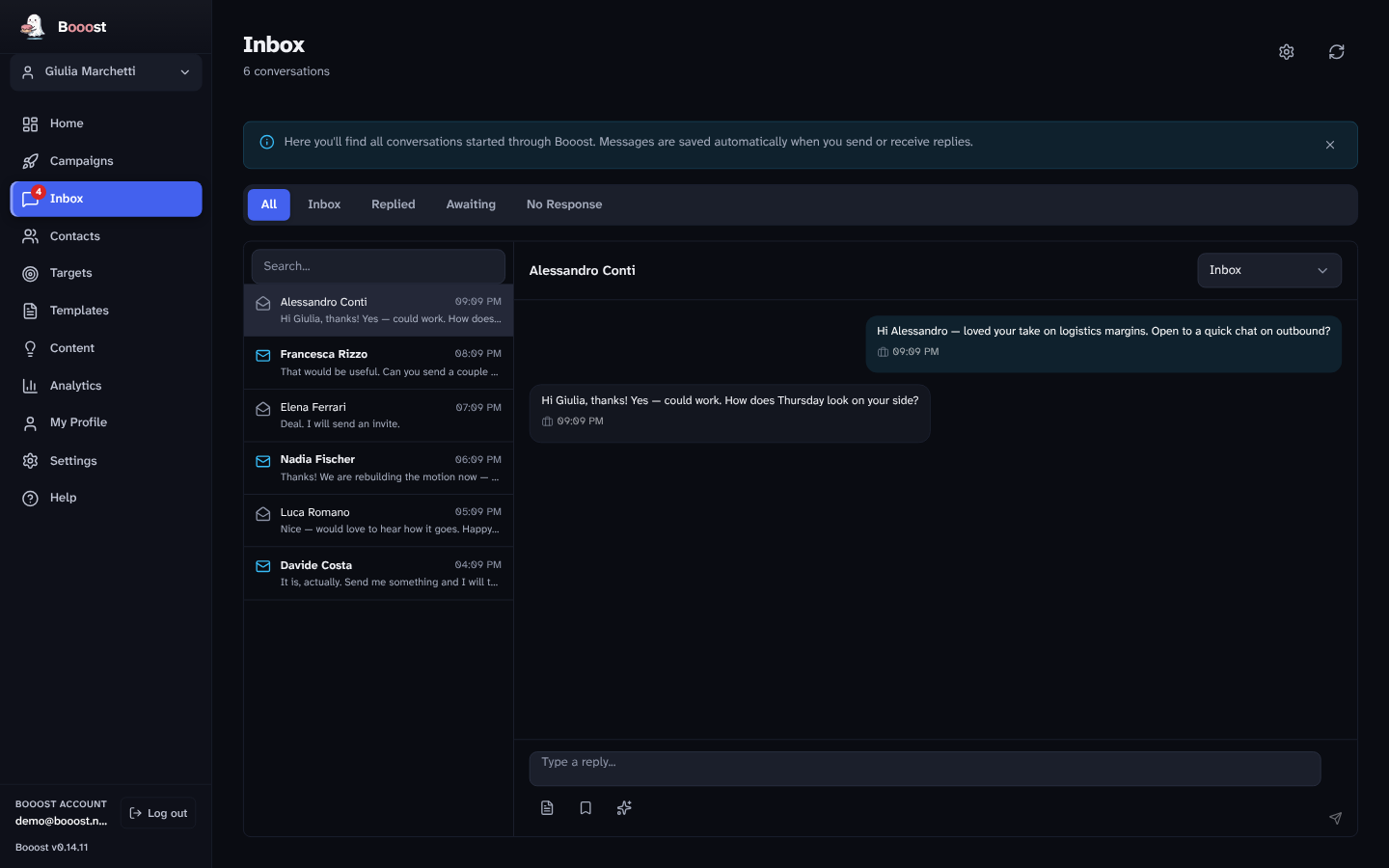
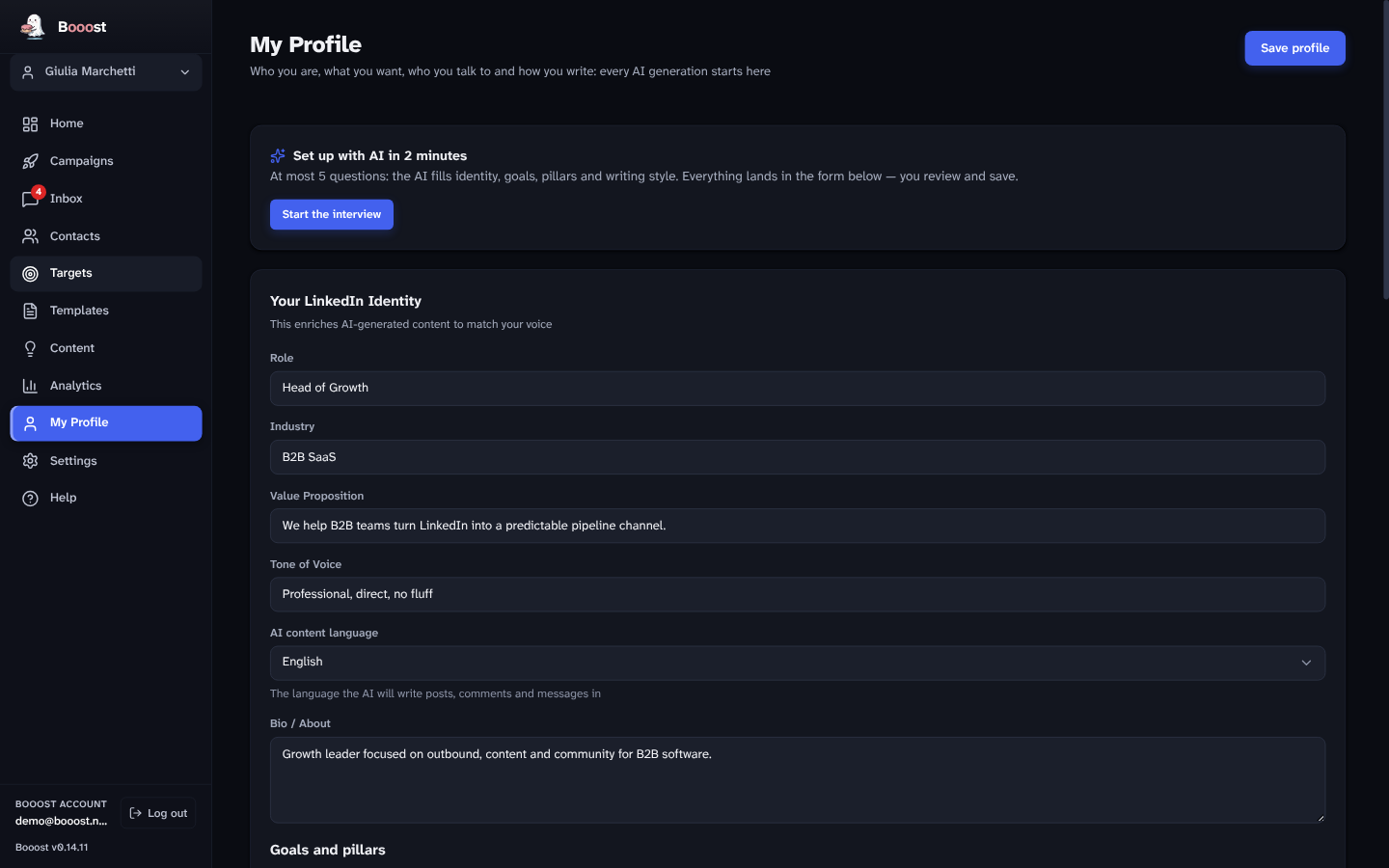
The three editions
The same application in all three cases. There is no separate download: your subscription decides what the app does, and it changes the moment you subscribe — no reinstall, no second file.
- One account (LinkedIn and X) and one Company Page
- Publishing: 1 post a day, 5 comments, 10 reactions
- The content pipeline, on your own AI key
- The full anti-ban system — the safety is not the paid part
- No outreach: no connections, no messages, no campaigns
- A signature comment goes under everything you publish
- Unlimited accounts (LinkedIn and X) and Pages
- Outreach: connections, messages, campaigns, the canvas
- Contacts, the six-axis radar, the inbox, analytics
- Your own AI key across twenty providers — Ollama included, so the model can run on your own machine
- No quotas on actions, posts or messages
- No managed Booost AI, and none of the source-driven objects
- Everything in Basic
- Booost's AI included — no key, no provider account, no separate AI bill
- The content factory: RSS, Reddit, web search and HTTP sources → topic clustering → a weekly plan you approve
- The quality gates: fact-check, faithfulness, epistemic and anti-cringe, run before anything reaches your audience
- Engagement intelligence: discover feed, comment on a post by URL, reply-intent routing, naturalness and anomaly scores
- Every workflow node on the canvas
The boundary has one rule behind it, and it is worth stating plainly: Community publishes, Basic contacts, Pro industrialises. Community exists so that someone can use Booost to post without paying us; it pays for itself in the signature, and the signature only appears on things you publish — so outreach, which produces no signature, starts at Basic.
What separates them, line by line
| Community | Basic | Pro | |
|---|---|---|---|
| Price per managed account | free | €79 / month | €99 / month |
| Accounts (LinkedIn and X) | 1 | unlimited | unlimited |
| Company Pages | 1 | unlimited | unlimited |
| Publishing posts | 1 a day | unlimited | unlimited |
| Comments · reactions | 5 · 10 a day | unlimited | unlimited |
| Connection requests · messages | — | unlimited | unlimited |
| Outreach campaigns · canvas | — | ✓ | ✓ |
| Contacts · six-axis radar | — | ✓ | ✓ |
| AI inbox with intent sorting | — | ✓ | ✓ |
| Analytics per account | — | ✓ | ✓ |
| Anti-ban system | ✓ | ✓ | ✓ |
| AI on your own key (20 providers) | ✓ | ✓ | ✓ |
| Managed Booost AI | — | — | ✓ |
| Source-driven content factory | — | — | ✓ |
| Quality and anti-cringe gates | — | — | ✓ |
| Engagement intelligence | — | — | ✓ |
| "Created with Booost" signature | required | — | — |
Anything not named here is in all three. The ceilings above are the only plan quotas that exist in the product — every other limit is a safety limit, the per-account warm-up and pacing, and those are identical in all three editions.
What it costs
You pay for an account under management — a person, with its LinkedIn and X channels. Not a seat, not a user, not a bundle of actions. Nothing else in the app is metered: not how many colleagues use the desktop, not how many campaigns, posts, comments, connections or messages you run.
From the fifth account, the price per account drops — and the band you reach applies to all your accounts, not just the ones past the threshold. At 25 accounts you pay €45 each, not €99 for the first four and €45 for the rest.
| Managed accounts | Pro · per account | Basic · per account |
|---|---|---|
| 1–4 | €99 / month · €999 / year | €79 / month · €899 / year |
| 5–9 | €79 / month · €799 / year | €63 / month · €639 / year |
| 10–24 | €59 / month · €599 / year | €47 / month · €479 / year |
| 25–49 | €45 / month · €459 / year | €36 / month · €369 / year |
| 50+ | €39 / month · €399 / year | €31 / month · €319 / year |
Monthly, no commitment. No minimum number of accounts, no annual contract to unlock the discount, and no seat count anywhere in the calculation — which is what separates this table from the discounts our competitors offer at the same volumes.
The count is of active accounts. Deactivate a client account and the subscription quantity follows on the next invoice, prorated — including downward, which is what moves you back up a band if you shrink.
The trial and the founding offer
Seven days free on your first managed account. No card to start, and nothing is charged until the trial ends.
Founding is not a launch discount for everyone. It belongs to people who joined the waiting list before launch and register by 2 October 2026. What it gives is Pro at the Basic column of your band, for as long as the subscription stays active — Pro for €79 at four accounts, Pro for €36 at twenty-five — plus 30 days of trial instead of seven.
Everything else about billing — VAT, currencies, what happens when you change plan, how invoices work — is on the pricing page.
The part nobody else builds
Every tool in this category can send a connection request. The question that actually decides whether you keep your accounts is what happens around it, and that is where most of the engineering went.
- Warm-up. New or cold accounts start with conservative limits that grow over weeks. No sudden spikes, and the warm-up state is per account.
- Human pacing. Randomized delays, confined to the operating hours you set, in each account's own timezone. It does not work at 4am.
- A live trust score. A per-account health number. When it dips, the system slows itself down without being asked.
- A circuit breaker. A CAPTCHA, a rate limit, an odd response — automation stops until the account is healthy again, and resumes on its own.
- Auto-pause on reply. The instant a prospect answers, the sequence stops and a human takes the conversation.
And the structural part, which no setting can substitute for: the actions come from your own computer, in a browser window that belongs to the app, using a session that never leaves your disk. A cloud tool logs into LinkedIn from a data-centre address shared with everyone else on that platform. We argue the mechanism, not a rate — nobody publishes honest restriction rates, in either direction.
What Booost Business does not do
Worth reading before you download it.
- It is not a lead database. Booost works on the network your accounts actually have; it does not sell you contacts.
- It has no integrations. No Zapier, no CRM sync, no API. The data is in a SQLite file on your machine and there is import and export, but nothing pushes to HubSpot for you today.
- It does not do email, SMS or WhatsApp. LinkedIn and X, deliberately — and nothing else.
- It does not send anything you have not seen. Every campaign action can be vetoed by a human, and the inbox drafts replies rather than sending them.
- It does not make automation compliant. LinkedIn's User Agreement §8.2 prohibits automation wherever it runs, and X's automation rules say the same of its website; our acceptable use policy says so. Running locally changes the risk profile, not the terms.
Questions this page gets asked
Does a colleague need their own subscription? No. The price counts accounts under management (LinkedIn and X), not people, and several people can use the same desktop installation.
Can I manage client accounts as an agency? Yes — that is the case the volume bands exist for. Each client account has its own limits, warm-up and safety state, and analytics are per account.
What if I add an account mid-month? The quantity on the subscription updates and Stripe prorates it. Crossing into a new band applies the new per-account price to every account from that moment.
Do I need to keep my computer on? For a campaign to run, yes — Booost runs on your machine and stops when it does. Scheduled work resumes when the app comes back.
Which operating systems? Windows 10 or later, macOS 12+ on Apple Silicon, and Linux as AppImage or .deb. See downloads.
Can I switch between editions? Yes, from inside the app, and it takes effect immediately. Dropping from Pro to Basic keeps your data; it removes the managed AI and the objects built on top of it.